Businesses today operate in a landscape where every interaction matters. Each call, email, or purchase tells a story about your customer’s expectations, preferences, and pain points. Without a structured system, these stories are fragmented across spreadsheets, inboxes, and disparate tools. Decisions are delayed, opportunities slip away, and teams work in silos.
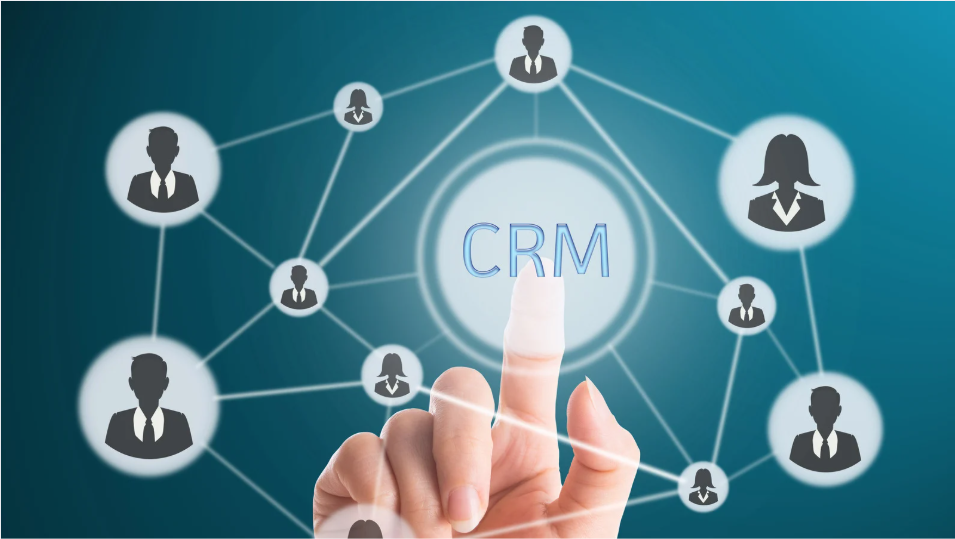
This is where CRM software becomes more than just a database. It captures every interaction, translates it into actionable insights, and ensures your teams are aligned. By connecting sales, marketing, and customer support in a single environment, a CRM turns scattered data into strategic action, empowering businesses to respond with precision and anticipate customer needs before they arise.
What CRM Software Does and Why It Matters
Although a CRM program centralises customer data, its usefulness goes well beyond mere storage. By converting unprocessed data into useful insights, it helps companies to monitor, evaluate, and respond to interactions.
Centralized Customer Data
One of the most powerful benefits of a CRM is its ability to consolidate every customer interaction in a single, accessible platform. This includes sales history, marketing engagement, service requests, support tickets, and purchase behaviors. By having all this information in one place, teams gain a 360-degree view of each customer, ensuring no detail is overlooked.
●Maintain up-to-date contact and account information to prevent miscommunication
●Access a customer’s interaction history instantly to provide contextually relevant responses
●Track multi-channel communications, including email, phone calls, social media, and in-person interactions, without toggling between platforms
●Reduce errors, data duplication, and missed opportunities by centralizing all records
Streamlined Processes and Automation
Beyond data centralization, CRM software streamlines daily operations through automation. Routine tasks that consume valuable time, such as follow-ups, lead assignment, and reminders, can be automated, freeing teams to focus on high-value activities. Automation also ensures that critical processes are performed consistently, which minimizes human error and accelerates response times.
●Automate lead scoring and prioritize prospects based on engagement and conversion likelihood
●Set workflow triggers for follow-up emails, reminders, and task assignments
●Standardize reporting and analytics across departments for consistent performance evaluation
●Reduce administrative burden, allowing teams to concentrate on relationship-building and strategic initiatives
Enhanced Collaboration and Alignment
A CRM acts as a central hub that promotes seamless collaboration across sales, marketing, and support teams. By providing shared access to the same data, it ensures that everyone works from a unified perspective, eliminating misunderstandings and duplicated efforts. This alignment enhances productivity and strengthens the customer experience.
●Share insights, reports, and customer notes across departments for coordinated decision-making
●Collaborate on campaigns and customer engagement strategies in real time
●Monitor account health collectively, enabling proactive problem-solving
●Reduce bottlenecks caused by siloed information and improve cross-department communication
Core Benefits of CRM Software for Business Growth
CRM software is not just a technical tool; it shapes how companies interact with customers and make decisions.
Data-Driven Decisions
Modern businesses generate massive amounts of customer data, from purchase history to support interactions and engagement with marketing campaigns. CRM software aggregates this information into comprehensive dashboards and reports, helping teams identify patterns, trends, and opportunities. Data-driven decision-making allows organizations to act proactively, anticipate customer needs, and allocate resources where they will have the most impact.
●Identify high-value customers and upsell opportunities
●Forecast revenue and track pipeline health
●Understand campaign ROI and engagement trends
Improved Customer Experience
Customer expectations are higher than ever. They demand quick, personalized responses and a seamless experience across every touchpoint. CRM software ensures that teams have access to complete customer profiles, including preferences, previous interactions, and service history. This enables businesses to deliver consistent, relevant, and timely engagement, improving satisfaction, loyalty, and long-term retention.
●Personalize interactions based on historical data
●Reduce response time through automated workflows
●Track complaints and resolutions to improve retention
Increased Efficiency and Productivity
A CRM eliminates many repetitive administrative tasks that slow down teams. By centralizing workflows and integrating multiple tools into a single platform, it streamlines operations and enhances team productivity. Employees spend less time juggling spreadsheets, emails, and disconnected software, allowing them to focus on activities that directly contribute to business growth.
●Consolidate multiple tools into a single platform
●Reduce repetitive administrative tasks
●Increase adoption and team alignment
Step-by-Step Guide to Choosing the Right CRM Software
Choosing the best CRM is not an easy task. Businesses must take a methodical approach to guarantee alignment with their resources, workflows, and goals.
Step One – Assess Business Needs
Identify pain points and prioritize requirements. Are you losing leads due to slow follow-ups? Do teams struggle to share information? Define objectives to narrow your options.
●Map current workflows and inefficiencies
●List must-have features like automation, analytics, or reporting
●Establish short-term and long-term goals
Step Two – Consider Deployment Models
CRM software can be cloud-based, on-premises, or open source. Each model has trade-offs in cost, control, scalability, and flexibility.
●Cloud CRM offers accessibility and quick deployment
●On-premises CRM allows customization and internal control
●Open source CRM software provides flexibility for technical teams to tailor solutions
Step Three – Evaluate Integration and Customization
Check how well the CRM integrates with existing tools like email platforms, marketing automation, accounting systems, and analytics software. Customization ensures that your workflows can be implemented without forcing your team to adapt to the software.
●Ensure API support for third-party tools
●Confirm customization options for dashboards, fields, and automation
●Verify reporting and analytics capabilities
Step Four – Test with Real Users
Before committing, run pilot programs. Engage sales, marketing, and support teams to perform daily tasks in the CRM and collect feedback. Testing reveals usability issues and helps ensure adoption.
●Assign real tasks to team members
●Collect feedback on navigation, speed, and automation effectiveness
●Adjust choice based on practical insights
Step Five – Factor in Scalability and Support
A CRM should grow with your business. Consider vendor support, community forums, training resources, and long-term maintenance requirements.
●Evaluate vendor reputation and customer support quality
●Plan for future scalability and upgrades
●Confirm compliance and security measures
Conclusion: Turning CRM Into a Strategic Asset
CRM software transforms scattered customer data into structured insights that drive business growth. From automating workflows and enhancing team collaboration to providing data-driven insights and improving customer experiences, a CRM becomes the driving force of modern business operations.
Selecting the right CRM is not about features alone; it is about alignment with your goals, workflows, and resources. Take the time to assess your needs, test multiple platforms, and involve your team in the decision-making process. A carefully chosen CRM enables smarter decisions, higher productivity, and stronger customer relationships.